
DOWNLOAD GUIDE MODEL 720
Your statements from Raisin,
step by step.
Prepare Raisin’s tax return and gather the documentation for the financial years you need.
BEFORE YOU START
What do you need to download?
You’ve already submitted it
Please attach the accounts for the most recent financial year in which you included this entity.
See what you need to add ↓Download Summary – Tax Information when it becomes available in your account. To copy this document, use Google Chrome; the Autodeclaro guide states that other readers may alter the structure.
THE DOWNLOAD
Prepare your statement, step by step.
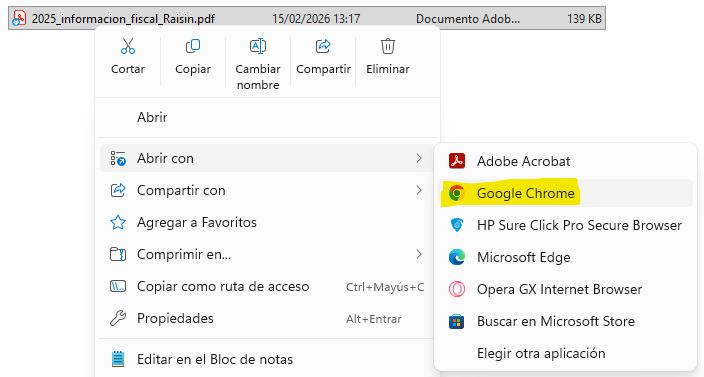
Open the PDF in Chrome
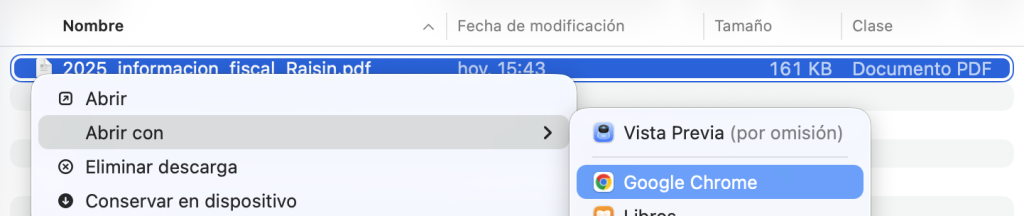
Right-click on the file and select Open with → Google Chrome. The procedure is the same on Windows and Mac.

Open the PDF in Chrome. The data in the screenshot are examples.Expand + Open the PDF in Chrome. The data in the screenshot are examples.Expand + Copy of «Investments abroad»
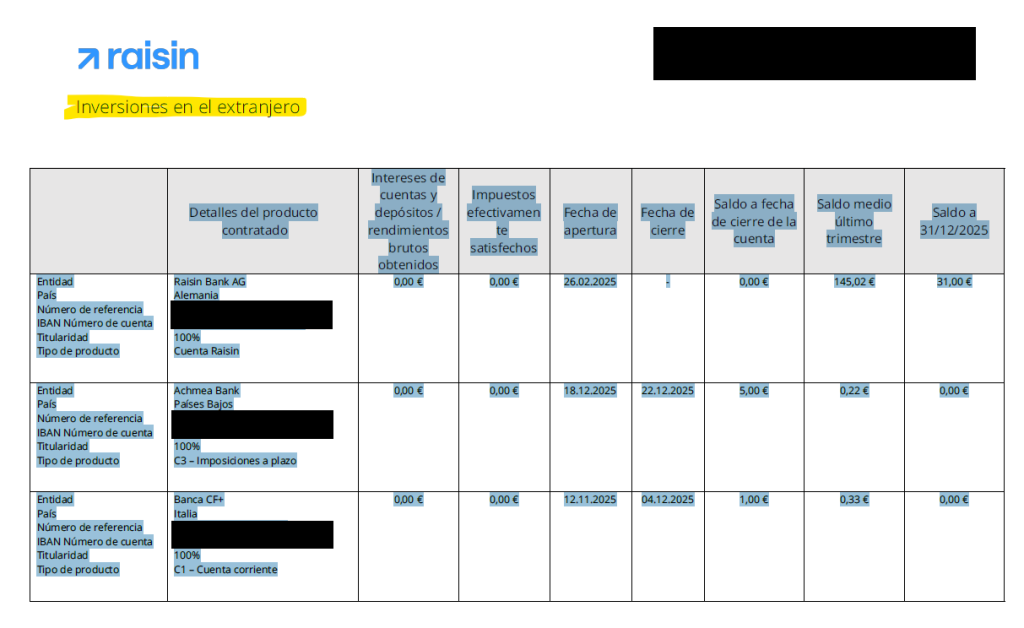
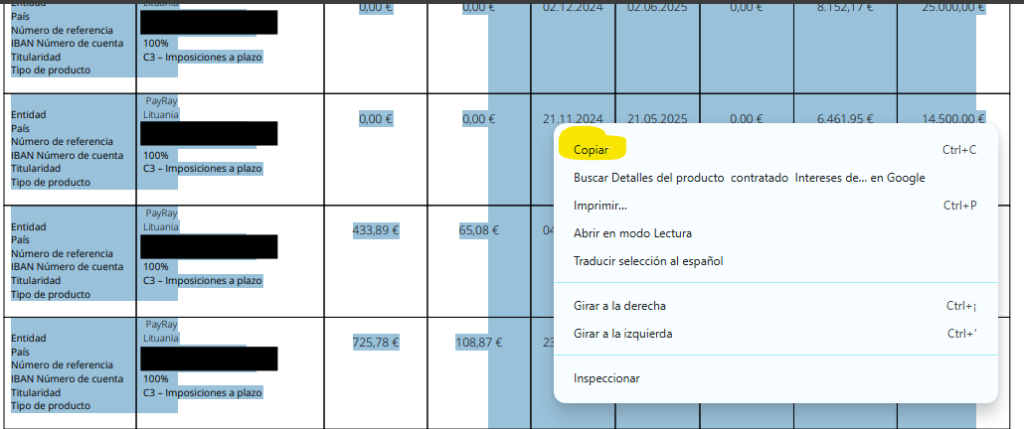
Find that section and select it from the header «Details of the product purchased» right down to the last row of the table. It includes all the pages on which it continues, without being tied to a specific page number.
Copy «Investments abroad». The data in the screenshot are examples.Expand + Copy «Investments abroad». The data in the screenshot are examples.Expand + Paste the content as plain text
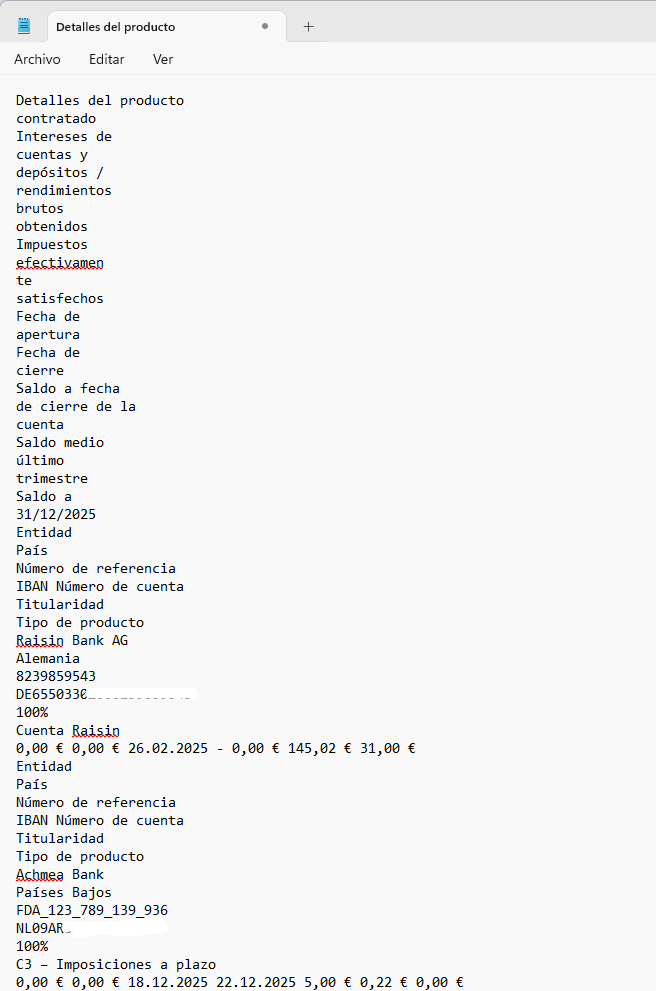
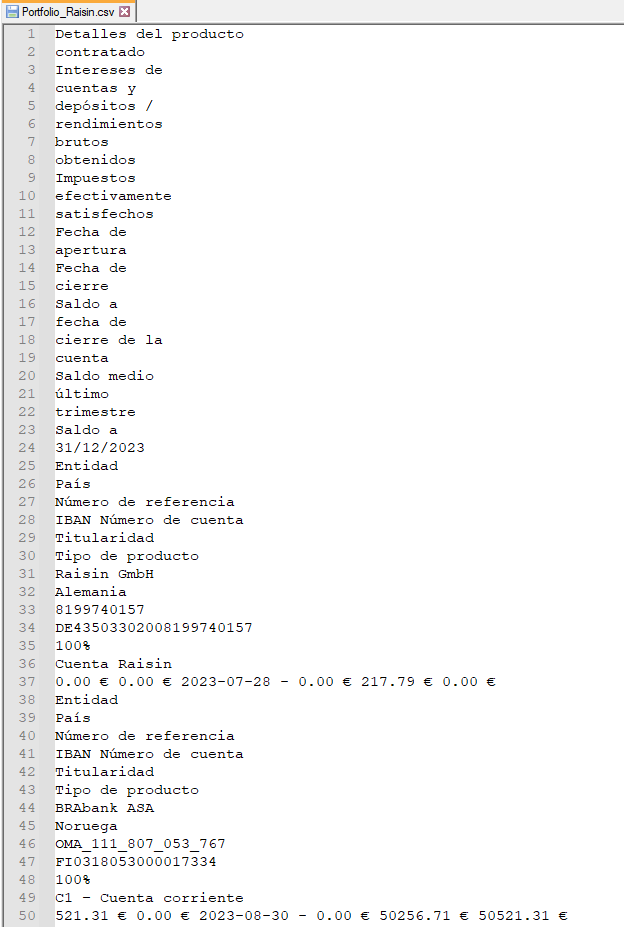
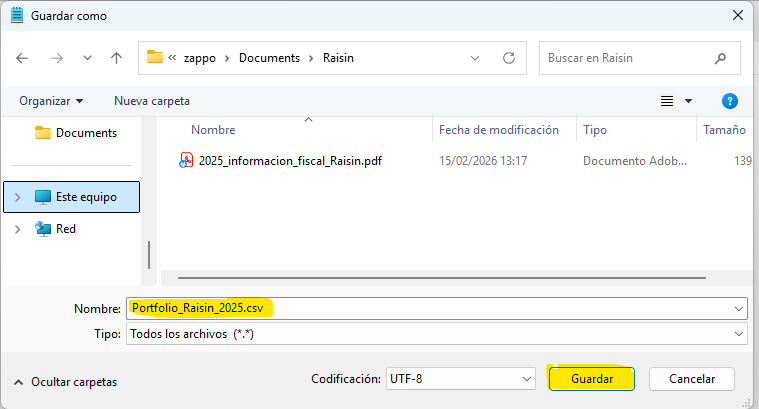
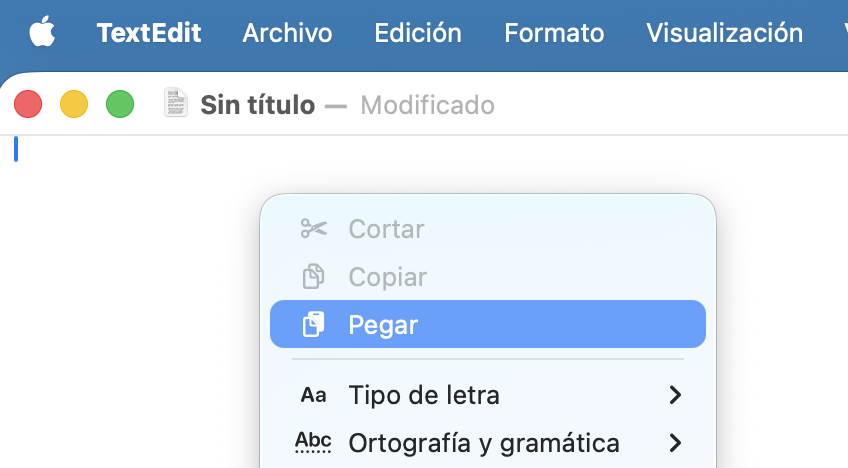
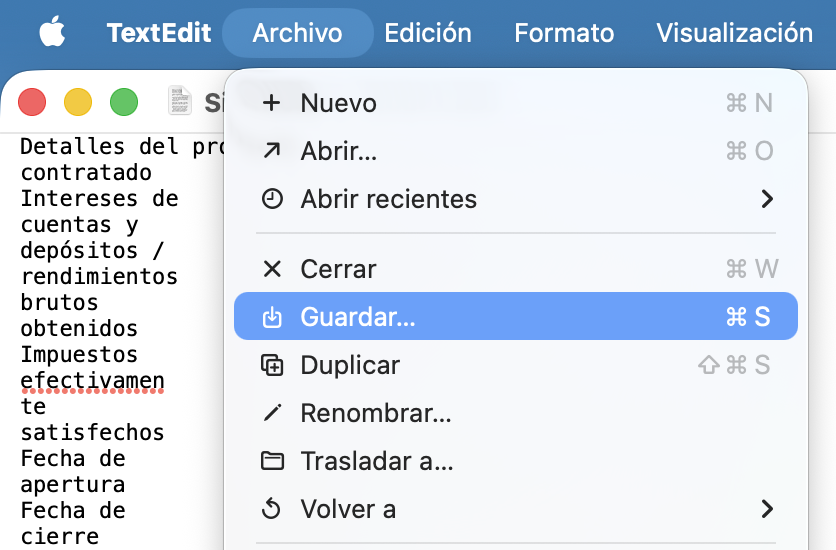
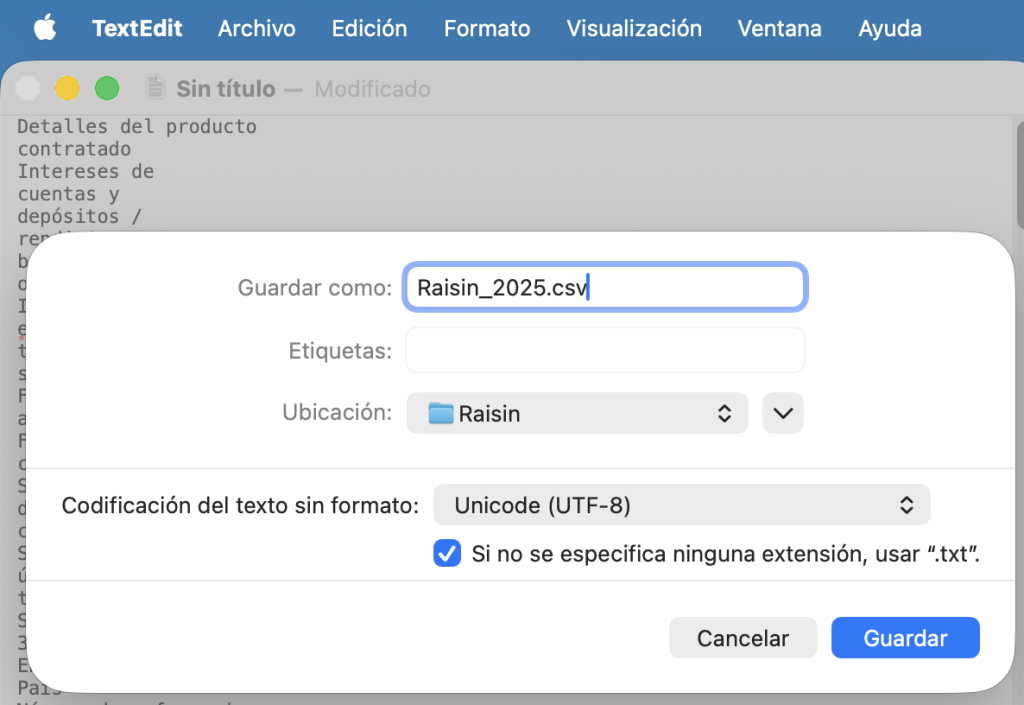
Paste the content into Notepad (Windows) or TextEdit in plain text mode (Mac). Retains the headers, rows and order of the data. Saves the file with the extension .csv and includes the word ‘exercise’ in the name: for example,
Raisin_2025.csv.You can delete any lines that contain only your first name and surname if they appear on more than one page. Keep the details of the accounts, balances and dates.
Paste the content as plain text. The data in the screenshot is for illustrative purposes only.Expand + Check the result
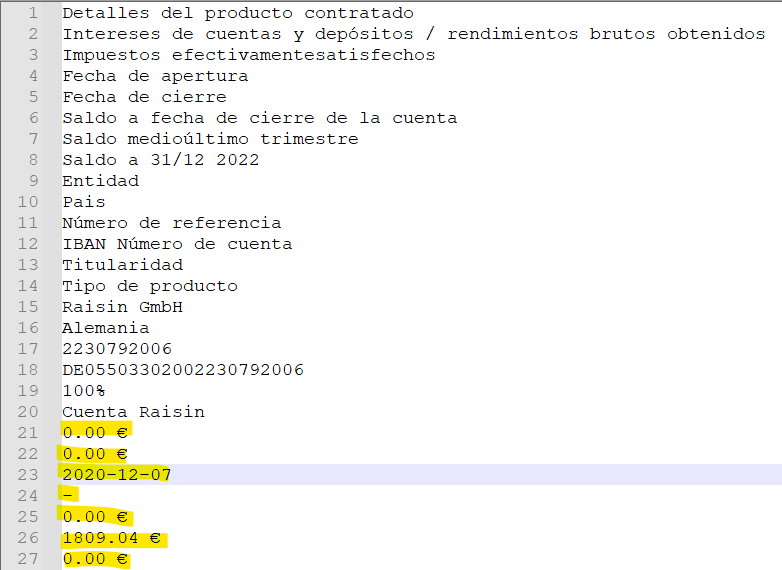
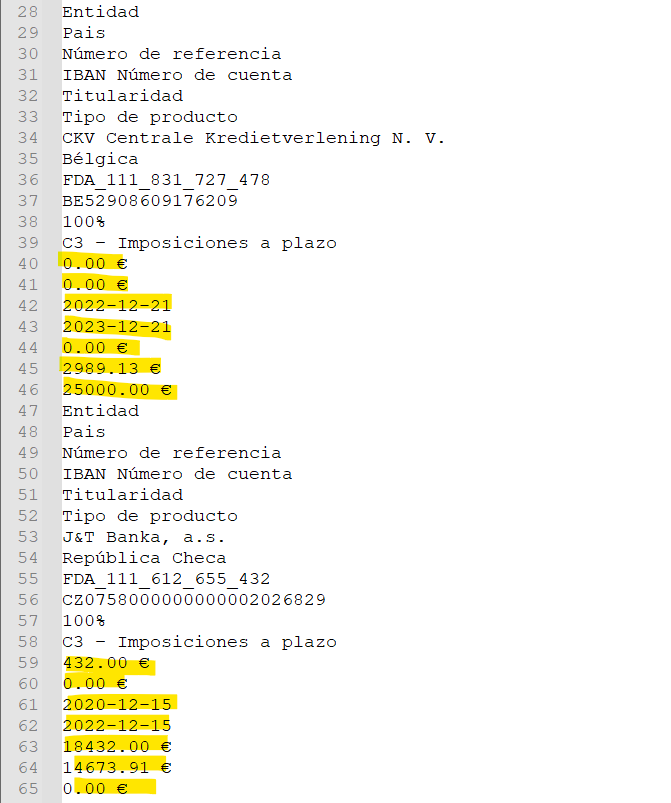
Compare the structure of the text with these examples. In this particular format, some amounts may appear on separate lines. If the text is out of order, copy it again from Chrome.
Check the result. The data shown are examples.Expand + Check the result. The data shown are examples.Expand + Check the result. The data shown are examples.Expand +
ONLY IF YOU HAVE ALREADY SUBMITTED IT
Please complete the above documentation.
If you have already included Raisin in a previous tax return, please also attach the statement for the last financial year in which you declared it. Keep the documentation for any closed accounts or deposits so that you can check any relevant changes.
AN EXAMPLE
The last tax year you declared was 2023.
If you’re preparing for 2025 now, gather the extracts from 2023 and 2025. If there were any sales or cancellations, check how to fill in the relevant details; position statements do not always contain this information.
FINAL CHECK
Your files, ready to send.
The exercise is correct. Check the dates on the documents and the year stated in their names.
There is no missing information. It includes all the items, pages and headings specified in this guide.
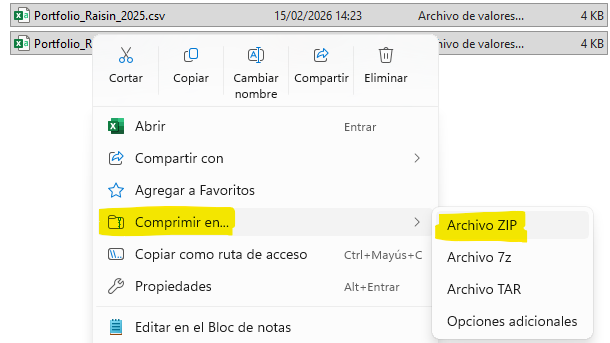
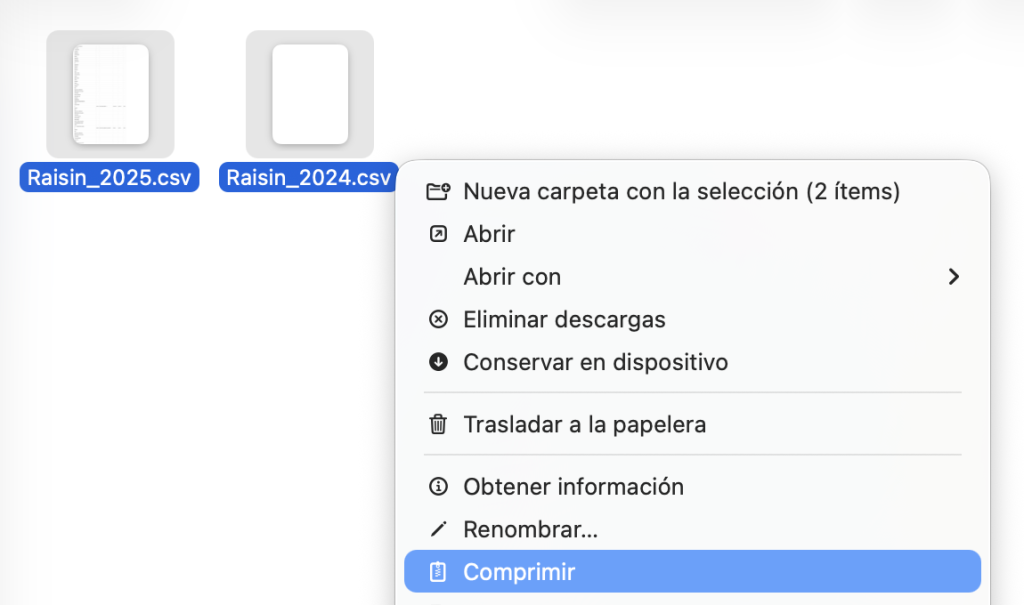
The format is retained. Check the file extensions. If you have several files, group them into a single ZIP file.
You can now continue with Auto 720.
OTHER QUESTIONS
The details of your case.
Watch the video of the original guide
You can also watch the video explanation on Autodeclaro. The screenshots and exercises shown may be from an earlier version.
Watch the Raisin video →Help with saving the file in Windows
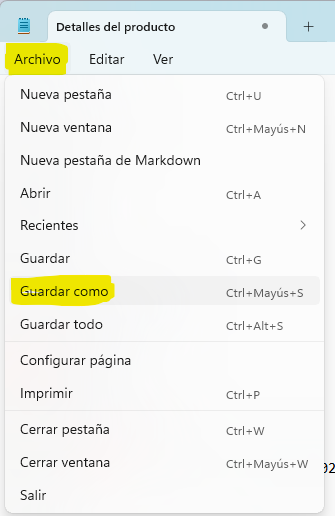
Open Notepad from the Windows search bar, paste the content and save it with an extension .csv. If the programme adds «.txt», select «All files» when saving and check the full filename.


Help with saving the file on a Mac
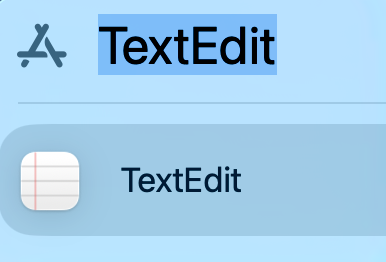
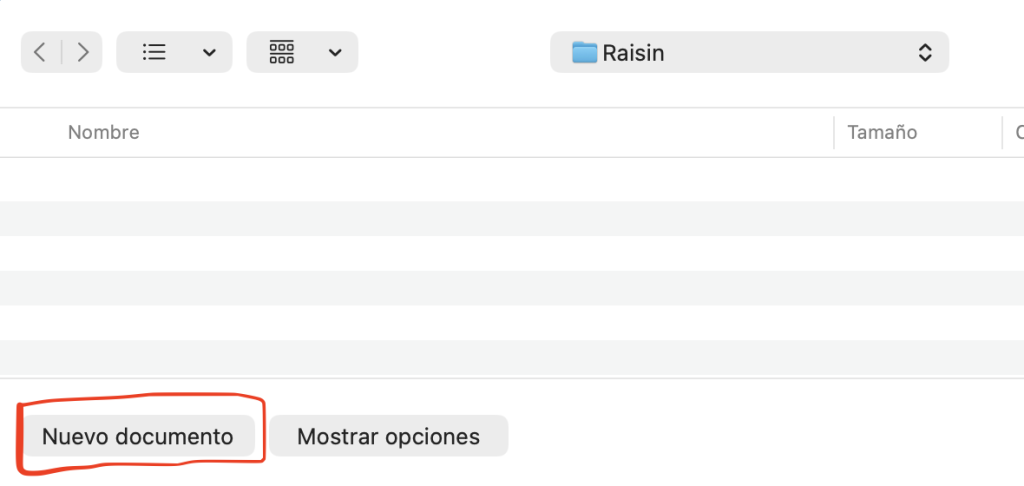
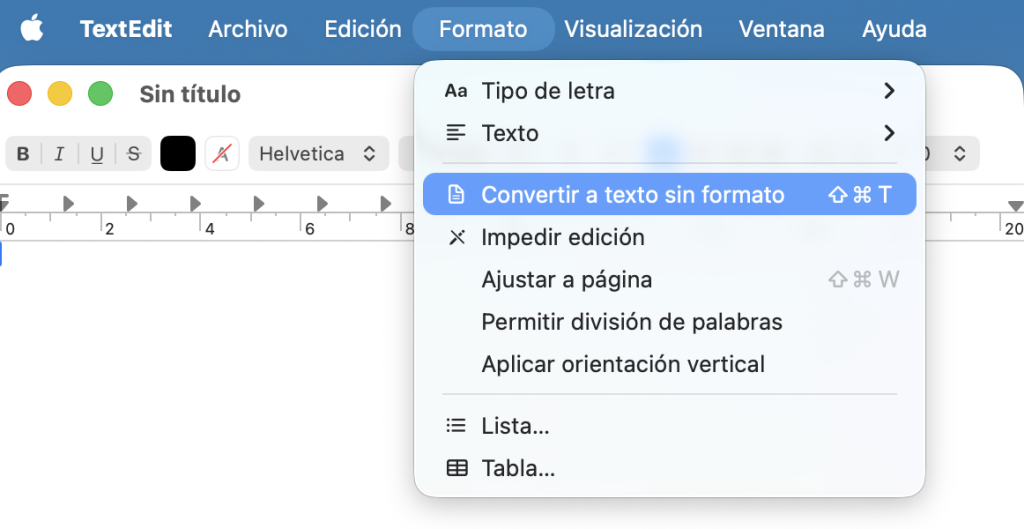
Open TextEdit, create a document and choose Format → Convert to plain text. Paste the data and save it with a .csv extension, avoiding .rtf or a .txt extension being added.

How to combine several files into a ZIP file
Which balances and cancellations should I check?
For the opening balance of the account group, check the combined balance as at 31 December or The average combined balance for the last quarter exceeds €50,000, taking into account any exceptions. If you have already submitted your return, please also check the rules on subsequent returns and any relevant cancellations.
Do not automatically rule out an account simply because it was opened and closed in the same year: you need to examine the circumstances and any previous obligations.
View the AEAT’s criteria →My document is in a different format
Do not alter figures, columns or identifiers to make them fit an example. Check with Autodeclaro if the structure does not match.
View my statement →Instructions and screenshots based on the original Autodeclaro guide →. The screenshots retain their original format and may show previous exercises.
 Español
 English (UK)
 Deutsch
 Français